Devlog 13: Testing With Playwright - Catching Bugs Before Users Do
I've been moving fast, which means I've also been breaking things. Last week I deployed a change that completely broke voting on mobile Safari. Nobody could click the vote buttons. I only found out because a user emailed me.
That was embarrassing. I needed automated tests.
Why End-to-End Tests?
I could have written unit tests for individual functions, but Tuggy's bugs tend to be integration issues. Like:
- Vote batching works, but real-time sync breaks
- Particles spawn, but tank frame rates on mobile
- Upgrades activate, but don't actually apply the multiplier
Unit tests wouldn't catch these. I needed tests that exercise the full stack: clicking buttons, waiting for database updates, verifying the UI reflects changes.
That's what E2E tests are for.
Playwright Setup
I chose Playwright over Cypress because it supports multiple browsers and has better mobile device emulation. Setup was straightforward:
npm install -D @playwright/test
npx playwright install
Then I configured it to test both desktop and mobile:
export default defineConfig({
  testDir: './tests/e2e',
  use: {
    baseURL: 'http://localhost:3000',
  },
  projects: [
    { name: 'chromium', use: devices['Desktop Chrome'] },
    { name: 'mobile', use: devices['iPhone 13'] },
  ],
});
Now my tests run on both desktop Chrome and iPhone Safari emulation.
Testing the Core Flow
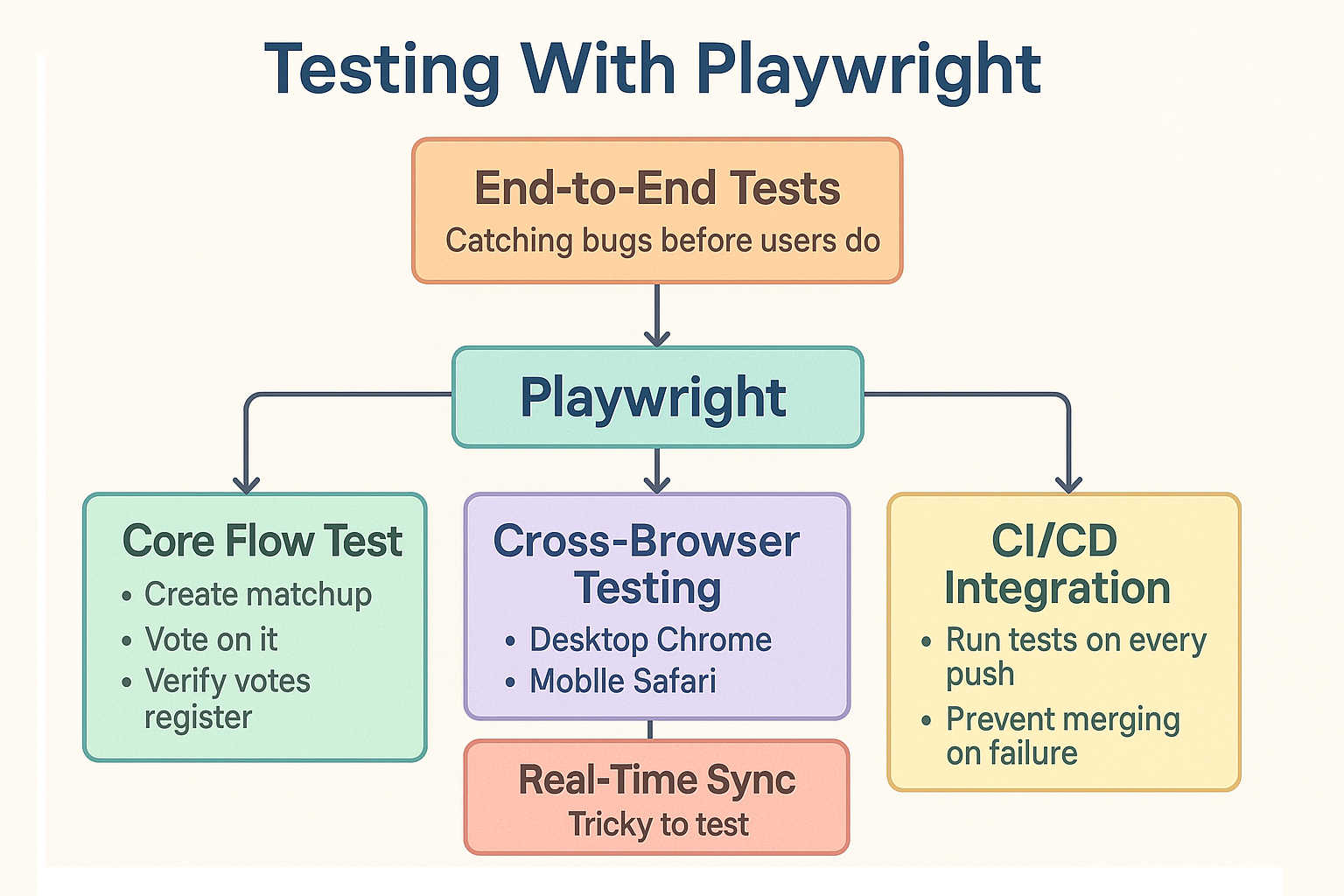
My most important test: create a matchup, vote on it, verify the votes register:
test('create matchup and vote', async ({ page }) => {
  // Create matchup
  await page.goto('/create');
  await page.fill('[name="title"]', 'Test: Cats vs Dogs');
  await page.fill('[name="contestant_a"]', 'Cats');
  await page.fill('[name="contestant_b"]', 'Dogs');
  await page.click('button[type="submit"]');

  // Wait for redirect
  await page.waitForURL(/\/[a-z-]+/);

  // Verify it loaded
  await expect(page.locator('h1')).toContainText('Cats vs Dogs');

  // Cast 10 votes
  const voteButton = page.locator('[data-testid="vote-button-a"]');
  for (let i = 0; i < 10; i++) {
    await voteButton.click();
    await page.waitForTimeout(100);
  }

  // Verify votes registered
  const voteCount = page.locator('[data-testid="vote-count-a"]');
  await expect(voteCount).not.toContainText('0');
});
This test catches:
- Form validation issues
- Database insertion failures
- Voting button handlers
- Vote count updates
- Real-time sync
If this test passes, the core flow works.
Testing Real-Time Sync
The trickiest part is testing that votes sync across multiple clients. I open two browser contexts and verify updates propagate:
test('votes sync across clients', async ({ browser }) => {
  const context1 = await browser.newContext();
  const context2 = await browser.newContext();

  const page1 = await context1.newPage();
  const page2 = await context2.newPage();

  await page1.goto('/test-matchup');
  await page2.goto('/test-matchup');

  // Page 1 votes
  await page1.locator('[data-testid="vote-button-a"]').click();

  // Wait for real-time broadcast
  await page2.waitForTimeout(2000);

  // Page 2 should see the update
  const count = await page2.locator('[data-testid="vote-count-a"]').textContent();
  expect(parseInt(count!)).toBeGreaterThan(0);
});
This caught a bug where I wasn't properly subscribing to Supabase realtime channels on page load.
Detecting Console Errors
I set up automatic failure if any console errors appear:
test.beforeEach(async ({ page }) => {
  const errors: string[] = [];

  page.on('console', msg => {
    if (msg.type() === 'error') {
      errors.push(msg.text());
    }
  });

  test.afterEach(() => {
    if (errors.length > 0) {
      throw new Error(`Console errors: ${errors.join(', ')}`);
    }
  });
});
This caught several silent errors I didn't know existed, like failed analytics calls and missing environment variables.
Performance Testing
I also track how long voting takes:
test('voting performance', async ({ page }) => {
  await page.goto('/test-matchup');

  const metrics: number[] = [];

  for (let i = 0; i < 20; i++) {
    const start = Date.now();
    await page.click('[data-testid="vote-button-a"]');
    await page.waitForTimeout(50);
    metrics.push(Date.now() - start);
  }

  const average = metrics.reduce((a, b) => a + b) / metrics.length;
  expect(average).toBeLessThan(100); // Under 100ms
});
When I accidentally made particles too heavy, this test failed and I knew I had a performance regression.
CI/CD Integration
I set up GitHub Actions to run tests on every push:
name: E2E Tests

on: [push, pull_request]

jobs:
  test:
    runs-on: ubuntu-latest
    steps:
      - uses: actions/checkout@v3
      - run: npm ci
      - run: npx playwright install --with-deps
      - run: npm test
Now I can't merge a PR if tests are failing. This has saved me multiple times from shipping broken code.
Debugging Failed Tests
When tests fail, Playwright captures:
- Screenshots at the failure point
- Full HTML snapshots
- Network requests
- Console logs
Running npm run test:ui opens an interactive debugger where I can step through the test and see exactly what went wrong. It's incredibly useful.
The Impact
Since adding E2E tests:
- 0 production bugs from broken core features
- Faster development (I can refactor confidently)
- Better documentation (tests show how features work)
- Sleep better (I know if something breaks)
Setting up Playwright took maybe 2 hours. It's saved me days of debugging and embarrassment.
Takeaway
Tests are an investment that pays off immediately. Every hour spent writing tests saves multiple hours of debugging production issues.
E2E tests are way more valuable than unit tests for full-stack apps. Testing the integration points catches real bugs.
Playwright is fantastic. The developer experience is great, and it actually makes testing kind of fun.
If you're building a web app and not testing it, you're playing roulette with your users. Don't do that. Add tests.
This wraps up my weekly build log for now. I'll keep posting updates as I add new features and tackle new challenges. Thanks for reading!